Connect Klaviyo for orders
As a marketplace operator or seller, it’s important to communicate with your customers. Not only does it improve retention, it also builds customer loyalty and trust.
Traide's integration with Klaviyo makes it easy to track and measure customer activity across your store. This improves your insight and customer outreach. A few examples of what you can do with this integration include:
- Track orders placed by your customers.
- Understand customer repeat purchase behavior.
- Monitor customer account creation and updates.
This guide provides step-by-step help for how to integrate your Klaviyo account with Traide.
Requirements
To integrate Klaviyo to Traide, you will need the following:
- An active Traide account: Traide is a software platform that powers businesses to build and scale online marketplaces.
- An active Klaviyo account: Klaviyo is a marketing automation platform helping to communicate with customers.
- An operational marketplace or store in Traide. You can learn how to set this up through the Traide help guide.
Setting up Klaviyo in the dashboard
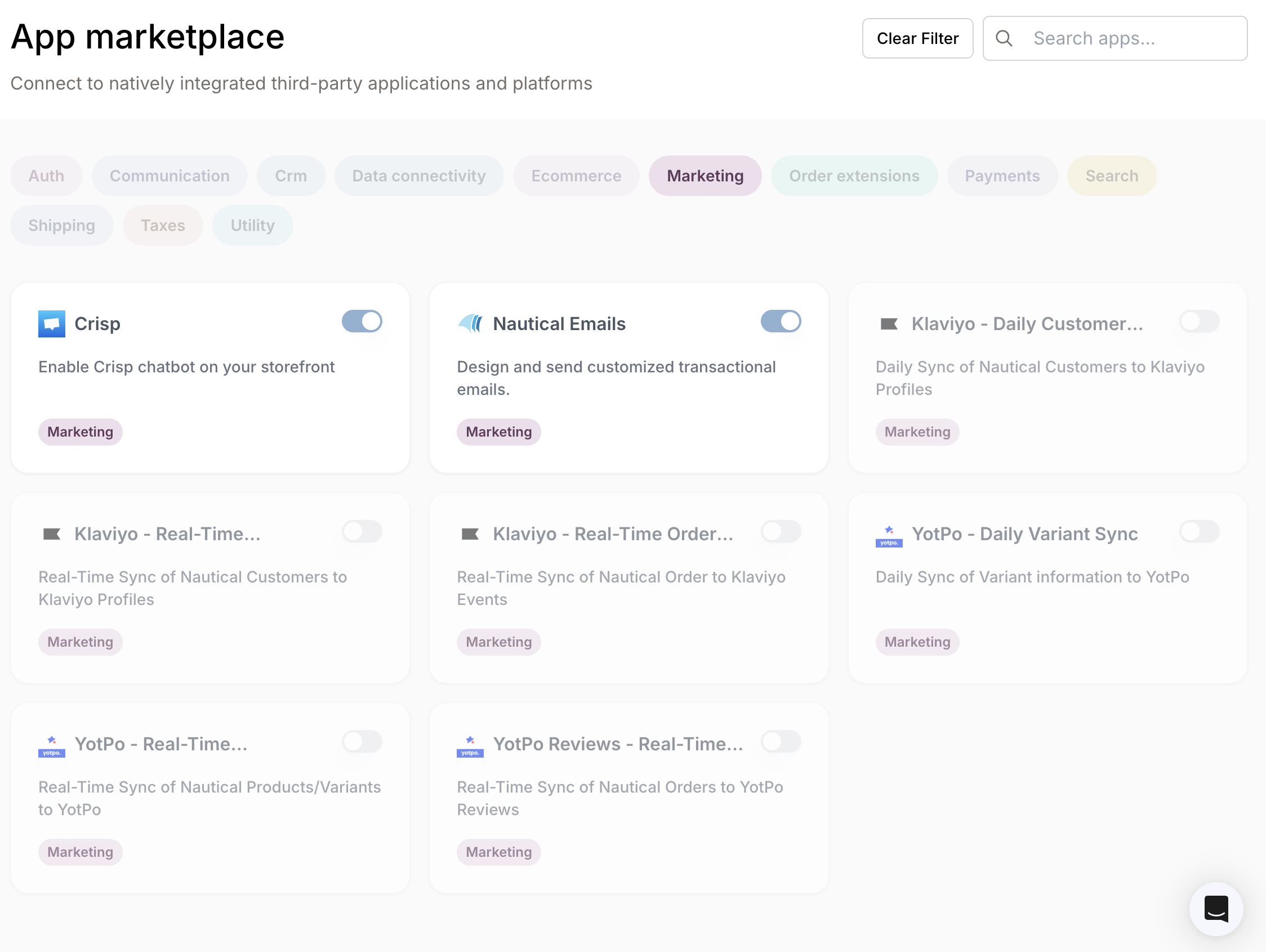
In the Traide dashboard, you can view apps and plugins by navigating to: Settings -> Apps -> App marketplace. The following image shows a cross-section of integrated apps and their activation status:
Some apps and plugins only appear in your App marketplace when they are enabled internally. To find out more, speak to your Traide representative or reach out via support@thetraide.com
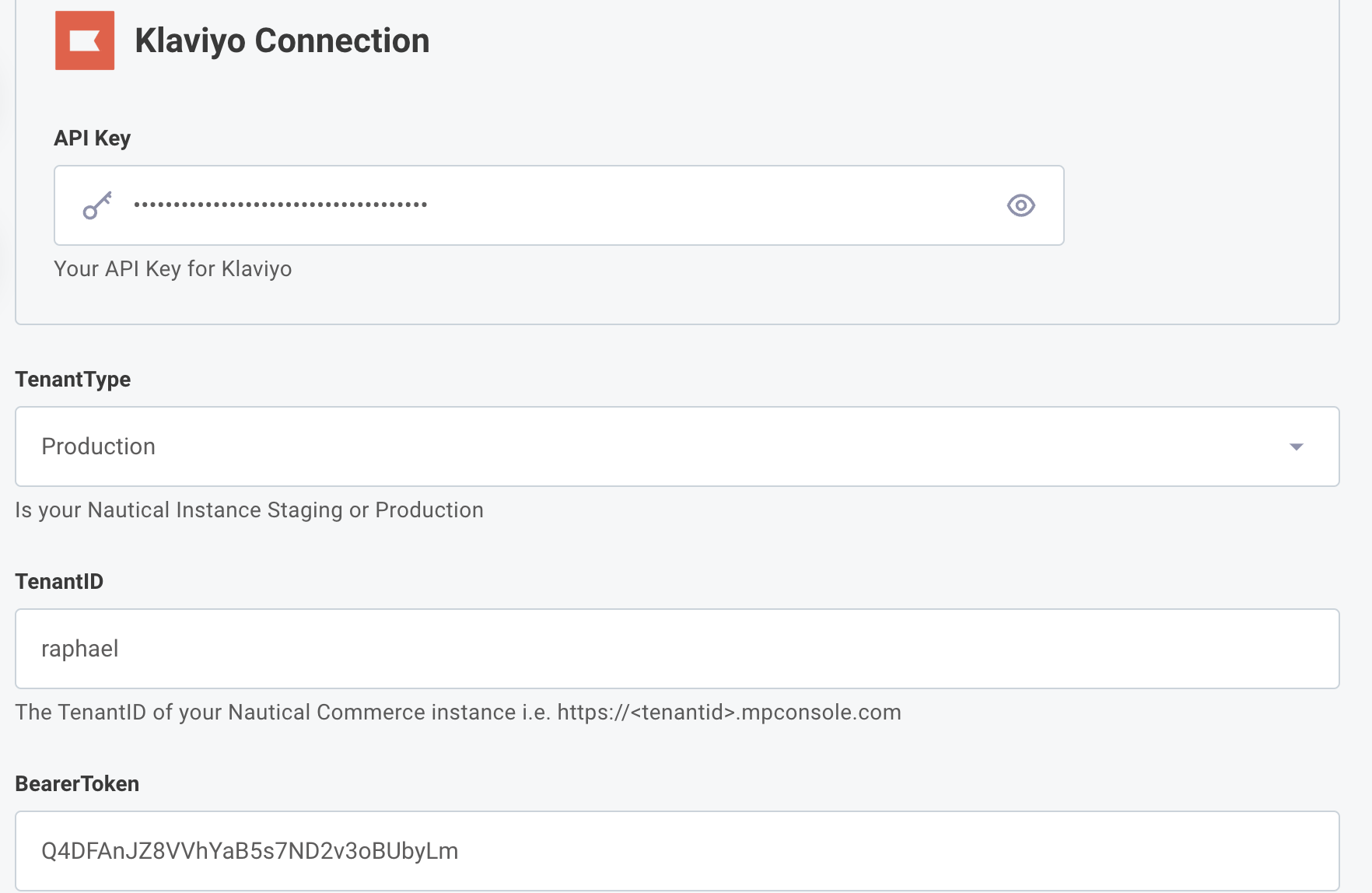
Once Klaviyo is integrated to Traide, you can activate it by inputting the following details in the dashboard:
- Your private API key with Klaviyo, learn how you can get one here.
- Your Traide tenant ID. This can be found in the dashboard URL https://[tenantid].mpconsole.com.
- The Traide tenant type you’re currently using; staging or production.
info
Every Traide storefront URL has the following default cadence:
Staging: <tenantid>.mpconsole.dev
Production: <tenantid>.mynauticalstore.com - Your Bearer Token. You can create one by navigating to Settings -> Apps -> Custom Apps.
The video below shows how to create a Bearer Token in the dashboard:
The Bearer Token displayed in the video above is for information purposes only, you should always keep your tokens private.
Once you have all the details you need to activate Klaviyo, navigate to Settings -> Apps -> App marketplace in the dashboard and input them in the Klaviyo third-party app. The image below shows how they should appear in the dashboard.
The Bearer Token displayed in the image above is for information purposes only, you should always keep your tokens private.
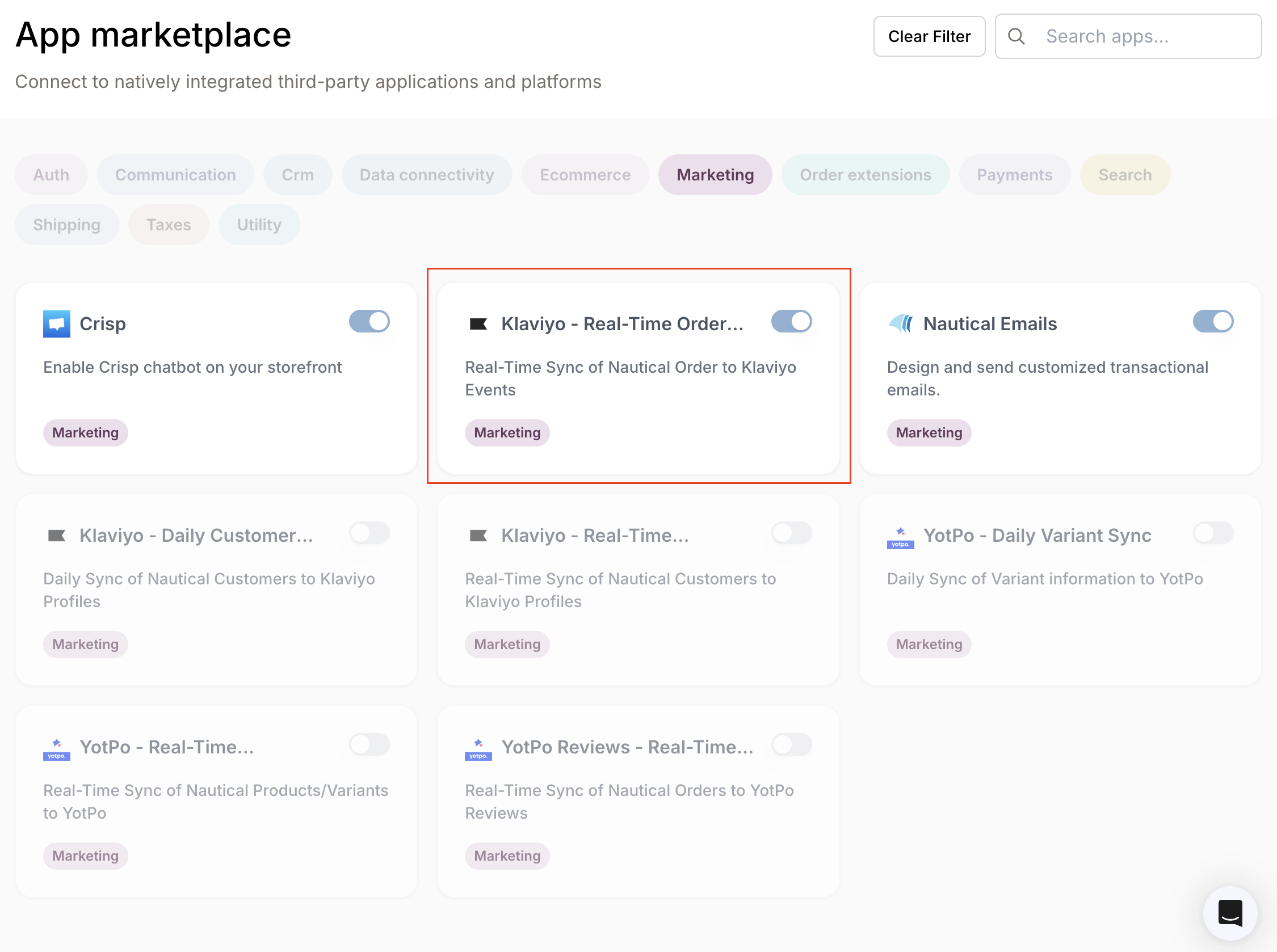
Once you’re done setting up your Klaviyo connection, it should be active in the dashboard as shown in the following image:
Tracking customer orders in Klaviyo
The next step after setting up your Traide dashboard is to configure your Klaviyo account to follow buyer activities in your store. You can do this by creating custom metrics on Klaviyo.
Custom metrics can be set up on Klaviyo to track specific use cases. They help with accurately monitoring your marketing impact and customer conversion. You can learn more about Klaviyo’s custom metrics here.
The integration of custom metrics in Klaviyo that monitor actions across your store is done by your Traide representative.
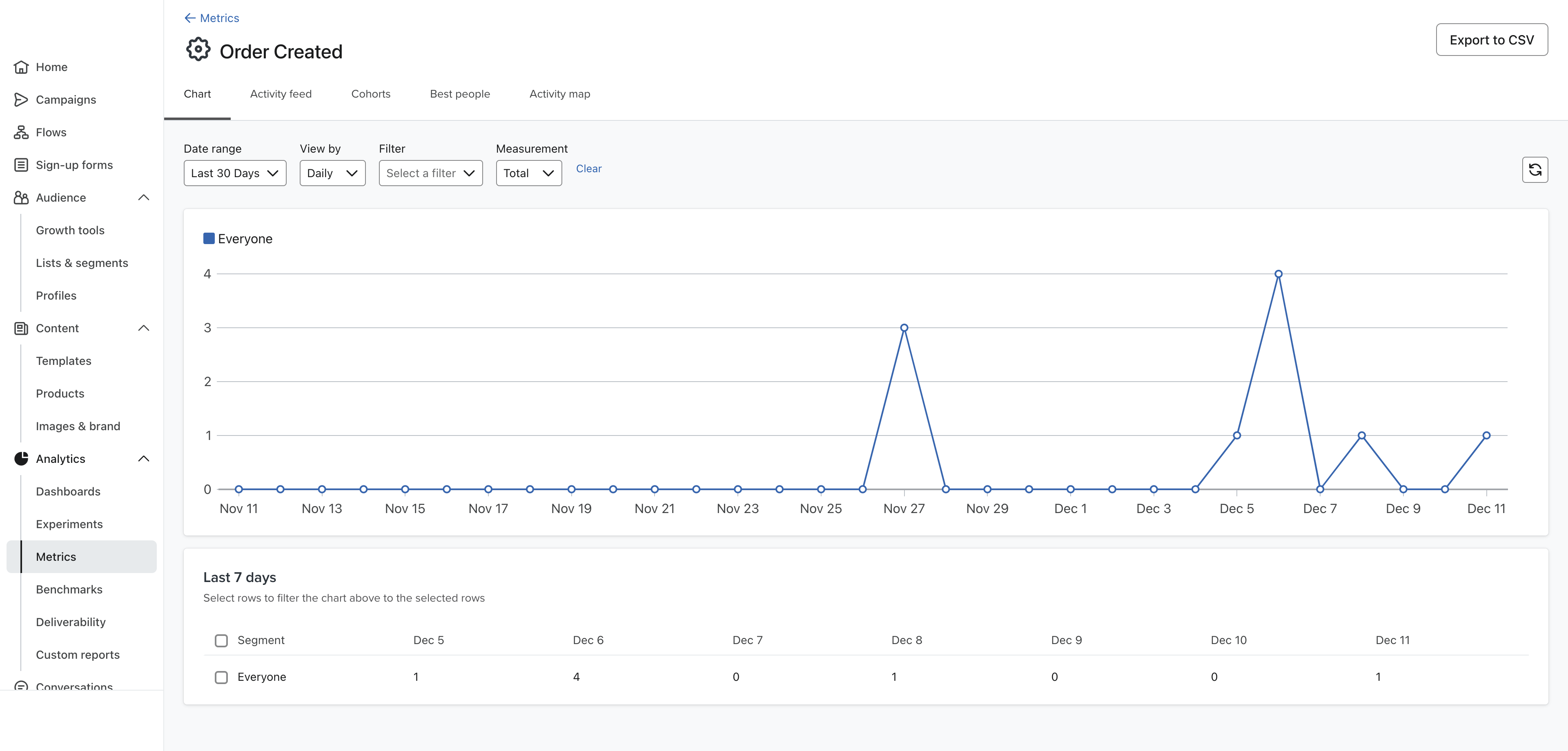
You can view a custom metric in your Klaviyo dashboard by navigating to Analytics > Metrics and opening the custom metric. The image below shows a custom metric called Order Created, it’s in sync with the custom third party app created in your Traide dashboard:
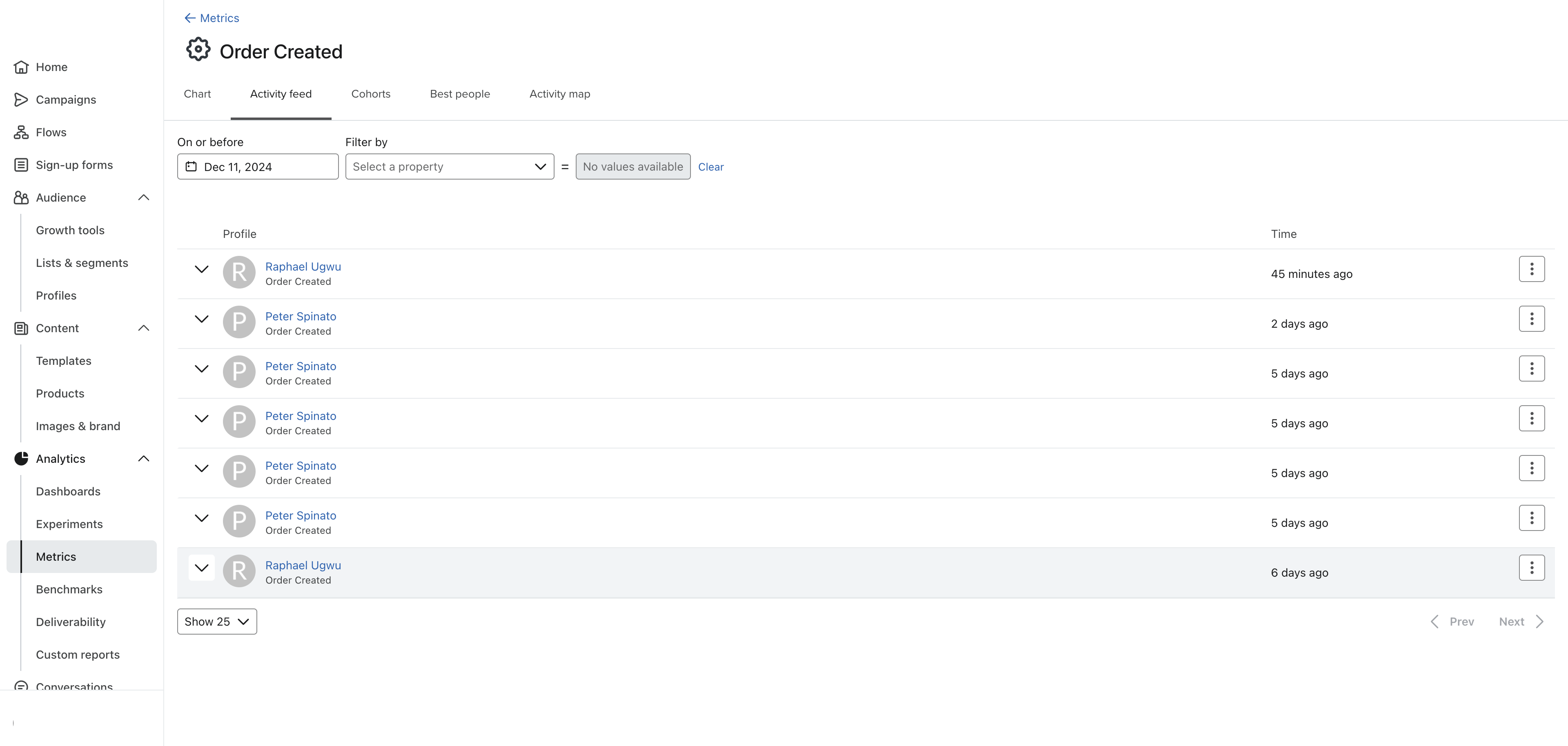
When a customer visits your store and places an order, their details are reflected on your Klaviyo account. The video below shows an order placed by a customer in a Traide store integrated with a Klaviyo account.
The second video shows the order tracked by a custom metric in a Klaviyo account. Note the timestamp and JSON data.
Getting details of a customer’s order in real-time to your Klaviyo account enables you with a number of options. Actions you can take include but are not limited to the following:
- You can craft well intentioned marketing emails to customers based on their orders or when they visit your store.
- You can work out recurring customers and offer them discounts or promotions.
- You can directly filter for customers with the most orders and send them a thank you message.
Summary
Traide enables a ton of use cases for businesses looking to scale their marketplaces. Integrating with Klaviyo is one of the many ways this value is delivered as it helps marketplaces monitor and improve their relationships with their customers. Should you have any questions, reach out to support@thetraide.com.