: Staging
: Production
✨ New
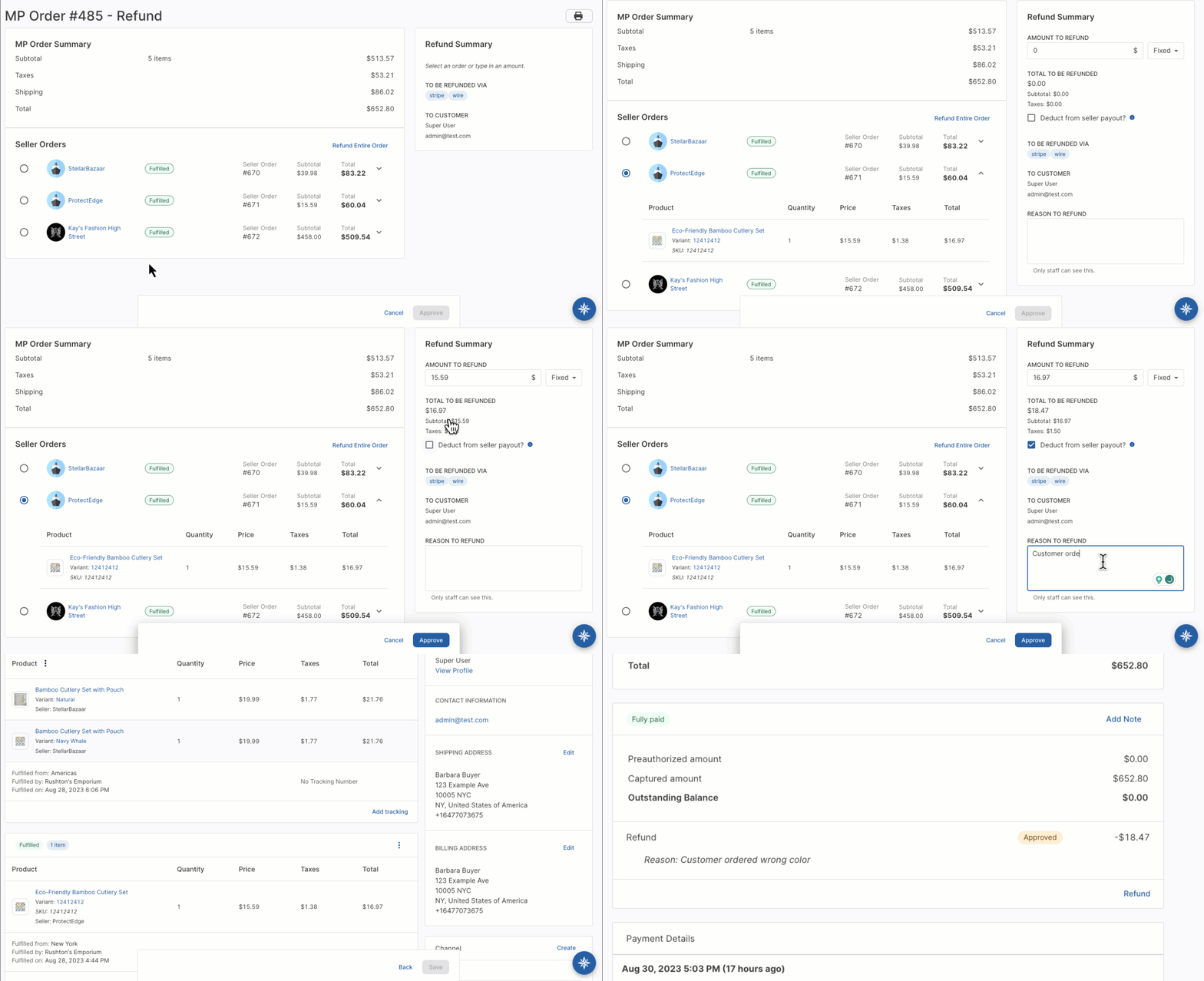
Refund seller orders
The refund workflow has been enhanced with a user-friendly interface, offering operators the flexibility to refund either individual seller orders or the entire marketplace order.
A highlight of this feature is the ability to deduct refunds directly from the seller's subsequent payout, reducing financial risk for the marketplace. Refunds will be reflected on the seller payout statement.
You can specify a reason for the refund, which will be displayed under the payment details section of the marketplace order. Refunds are automatically issued to the buyer's original method of payment.
To access this feature, you must have the "Manage refunds" permission.
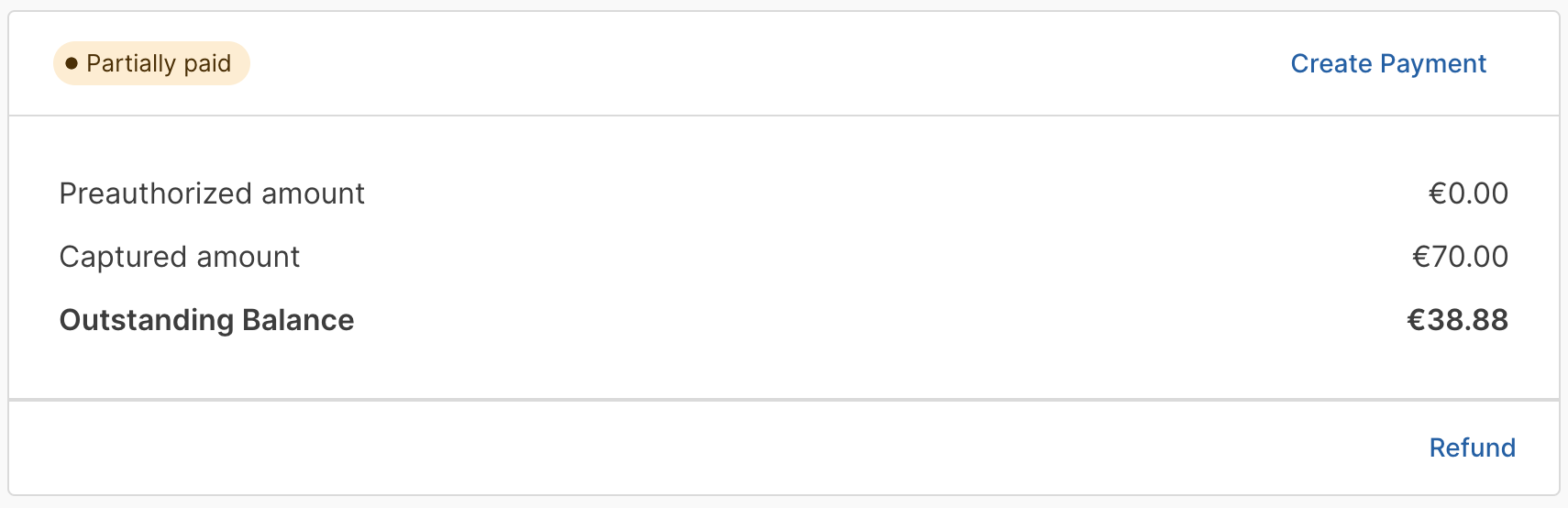
Partial payments
You can now capture partial payments against orders. This flexibility allows you to split payments across multiple payment methods or capture a portion upfront and the rest at a later date.
For example, a buyer could wire part of the payment and cover the remaining balance via credit card. Or you could capture an initial deposit and charge the remainder when the order is fulfilled. Note that only certain payment gateways allow capturing multiple payments against the same order.
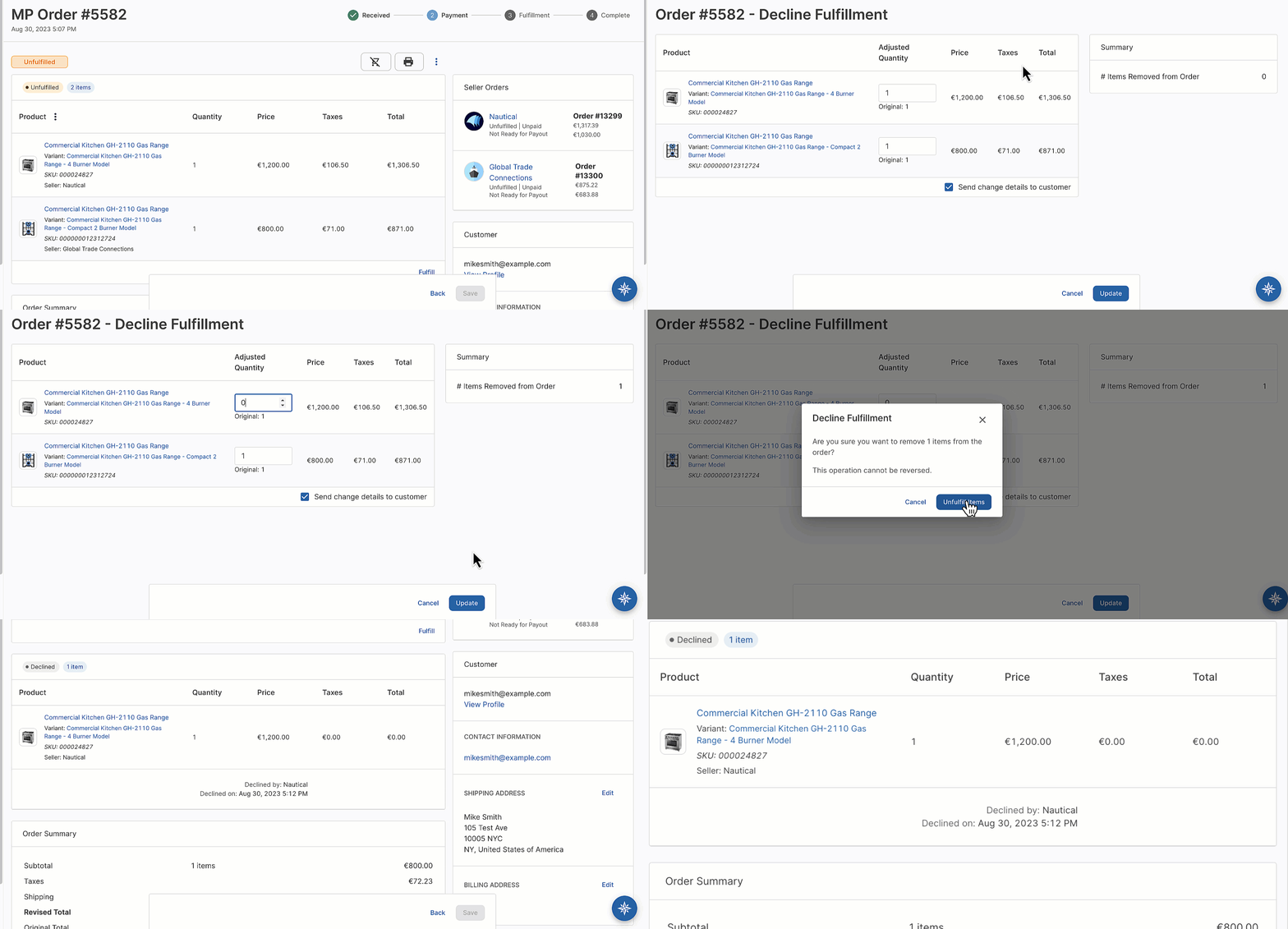
Decline fulfillments
Sellers and operators now decline fulfillments to remove unfulfillable order line items. This feature requires the "Manage fulfillments" permission.
Fulfillments must be declined before capturing payment against the order. When a fulfillment is declined, the order total is automatically adjusted to exclude the corresponding line items. However, shipping costs remain unchanged.
A new "Order Fulfillment Denied" email event and template has been added to update buyers when a order line items can't be fulfilled.
Markup commissions
Introducing two new commission types for seller agreements: Dropshipping and Wholesale.
Both commission types automatically apply a percentage-based markup to the seller's base product prices.
The process is transparent and straightforward for all parties:
- Sellers input their base price.
- Buyers see the final price, which includes the markup.
- Operators have the ability to see both the base and final marked-up prices.
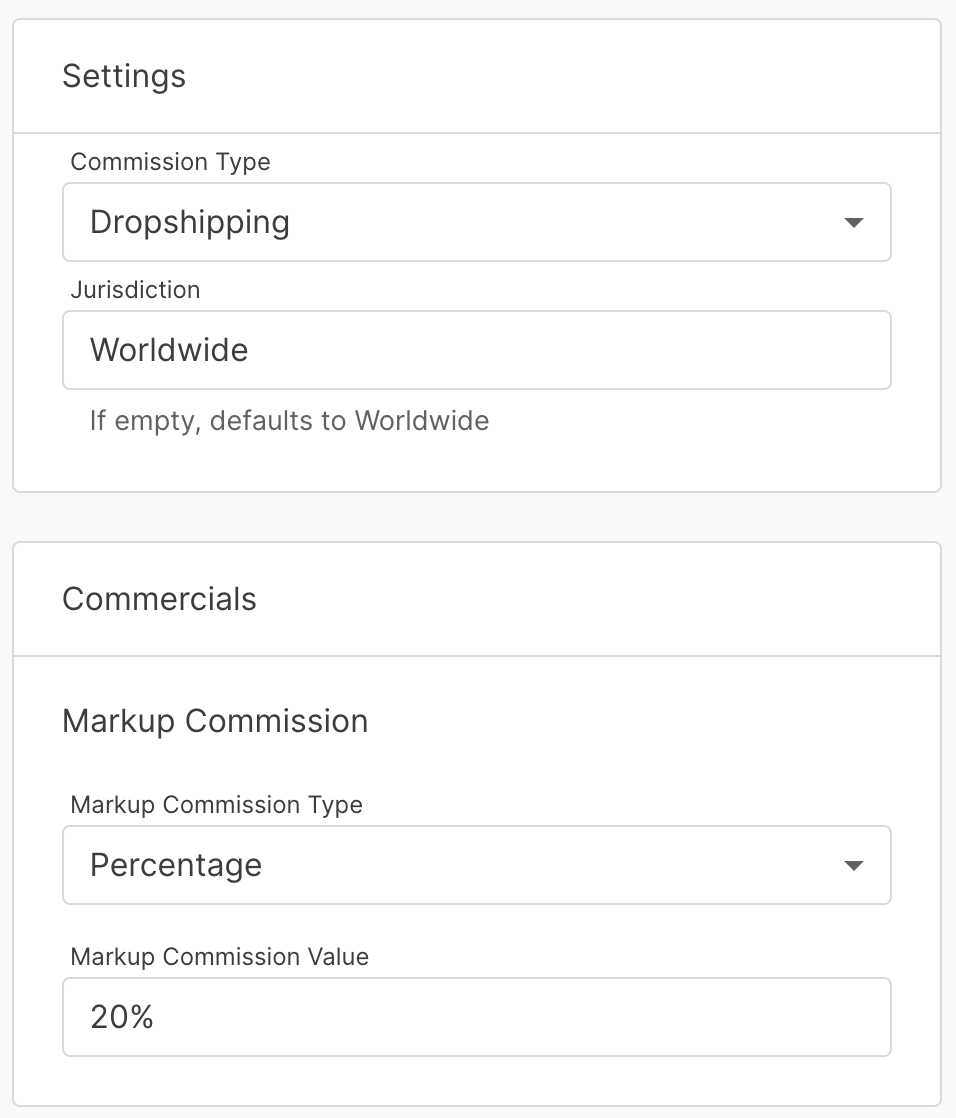
For instance, if a seller enters a base price of $12.99 and there's a 20% markup, the buyer would see a price of $15.59, while operators could see both prices side by side on the product variant.

🪲 Fixed
Fixed an issue preventing marketplace operators from approving product variants.
Fixed an issue where changes to the Product Variant page layout were not reflected after saving.
Fixed an issue where the "Create Payment" modal did not display the transaction currency code.
Fixed an issue where the quantity available shown on an order fulfillment could display an incorrect amount of available stock.
Fixed an issue that could cause translation pages to become unresponsive.