✨ New
Payout processing enhancements
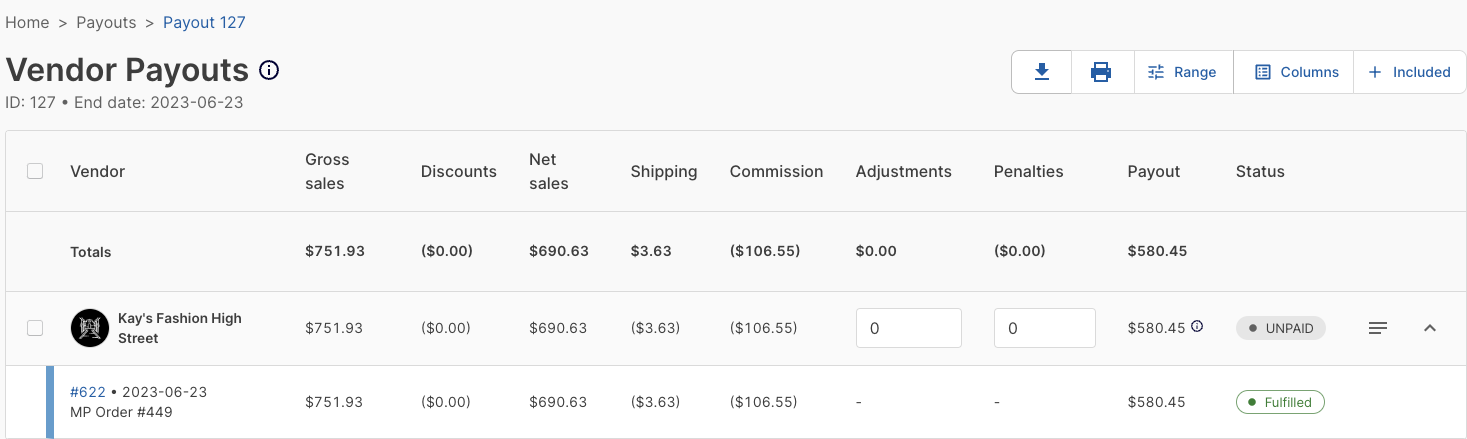
Marketplace operators now have access to additional information and features while processing payouts. The updates include:
- Payouts can now be exported to a
.csvfile, facilitating easier data management and record-keeping. - Marketplace operators can now expand vendor payout line items to view a summary of each order included in the payout.
- The print view has been optimized for formatting and clarity.
Seller payout statements
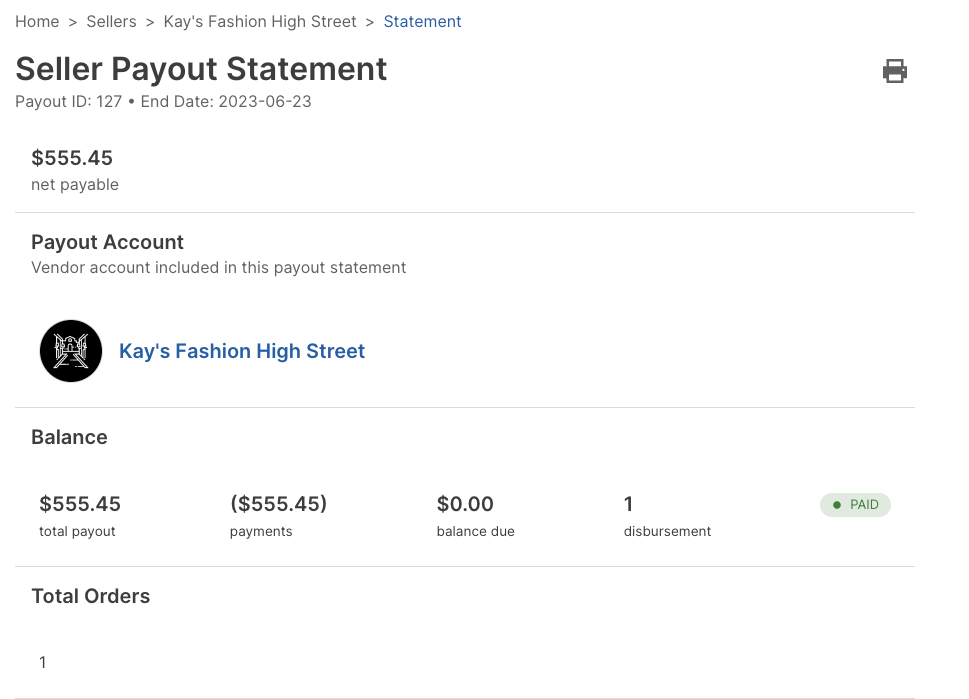
A new Seller Payout Statement page has been introduced to give vendors more clarity on the financial breakdown of their payouts.
This page includes a detailed account of the payout calculation, with a breakdown of the orders and a financial summary for each one.
Both marketplace operators and sellers can access their payout statements. Payout statements can be printed or exported to a .csv file for easy sharing.
Sellers can access their financial statements through their Seller Account. Navigate to the "Financials" tab and select a payout to view the statement.
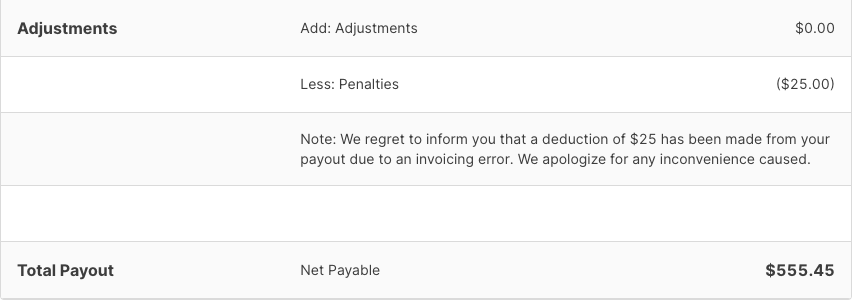
Payout notes
Marketplace operators can now add notes to vendor payouts, for example, to explain why certain adjustments or penalties were applied to a payout. Nots appear in the Adjustments section of the payout report.