Release notes for version 1.3.7 were skipped due to a customer-specific deployment. Changes from version 1.3.7 are included in these notes.
✨ New
Centralized document management
Added the ability to manage documents directly through the Dashboard.
Now, you can upload and attach files to products, variants, customers, and sellers. A new "Documents" section has been added to the detail pages of each of these areas, making it easy to find and manage your files.

To use the centralized document management feature, the MANAGE_DOCUMENTS permission is required.
✨ New
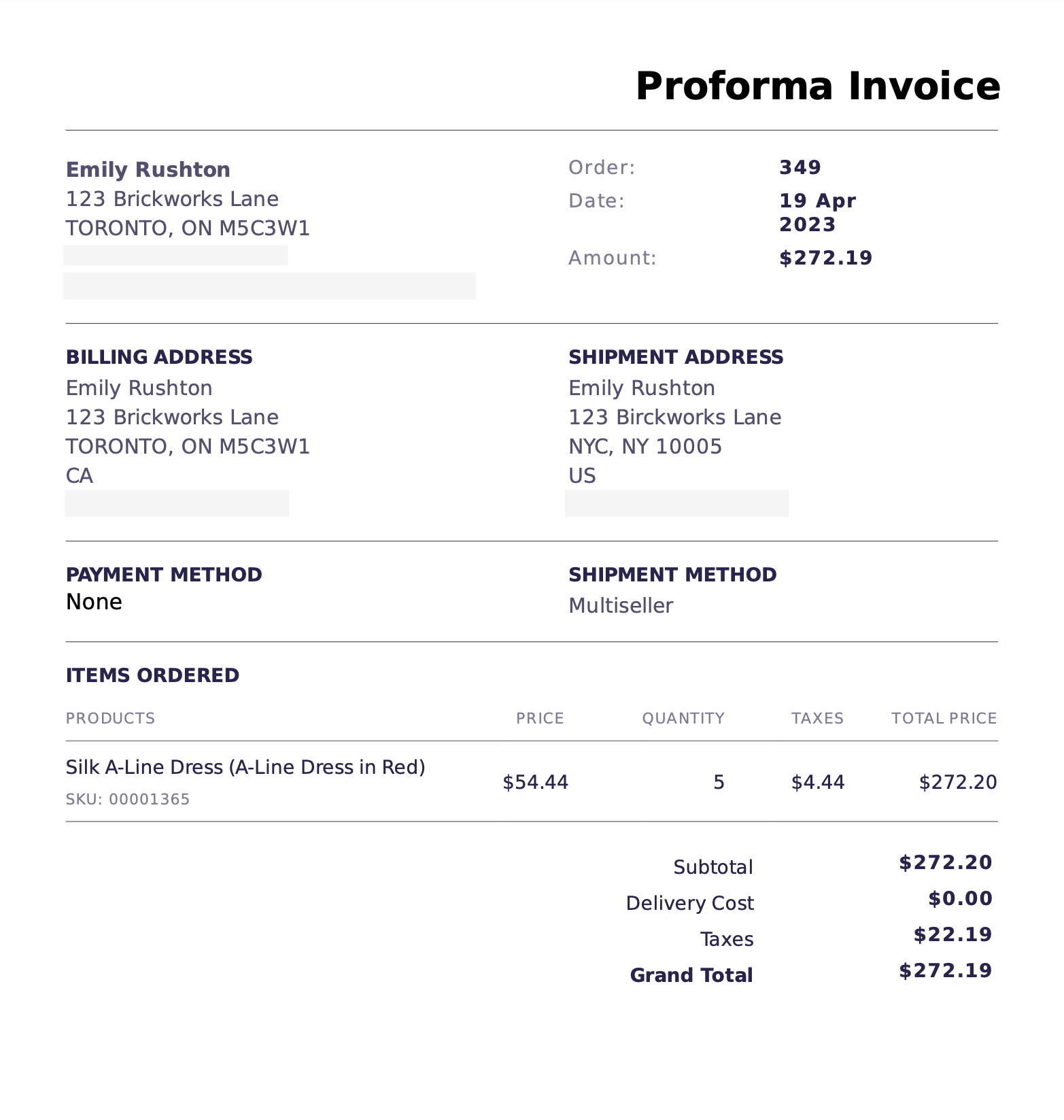
Generate proforma invoices for quote orders
You can now generate a proforma invoice document from a quote order.
A new "Documents" section has been added to the Quote Order details page, where you can generate a proforma invoice.
The proforma invoice includes a detailed breakdown of the products, prices, taxes, and shipping for transparency for both sellers and a buyers while quoting an order. The buyer can then review the full cost and make an informed decision about whether to proceed with the order.
Create payments from the Dashboard
You can now create a payment from a marketplace order. This is useful for manual payment methods such as wire or payments received over the phone. The "Create payment" button and dialog are now available to register payment.
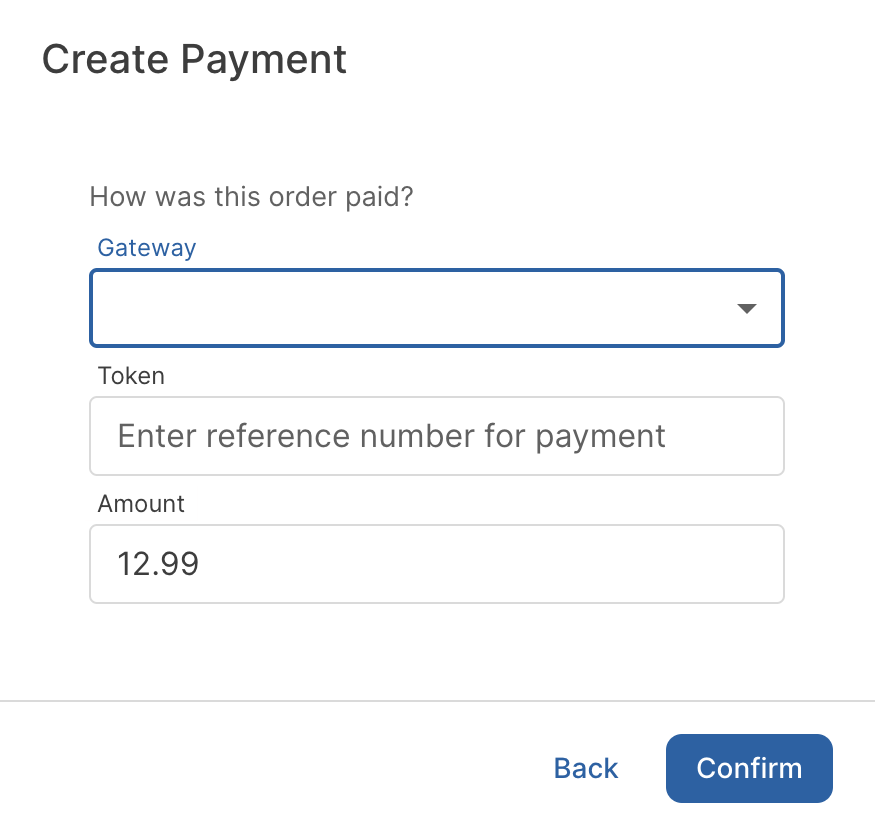
To create payments, the MANAGE_MARKETPLACE and MANAGE_PAYMENTS permissions are required.
💎 Changed
Avalara certification and integration updates
Traide is now a certified integration partner with Avalara AvaTax. New settings are available on the Avalara app settings page, including the ability to disable sending documents and enable logging for troubleshooting.
Additionally, the way transactions are sent to AvaTax has been updated to align with Avalara’s transaction document lifecycle, to reflect when tax is being estimated for a transaction versus when the tax for a transaction should be recorded in AvaTax. You will no longer see transactions in the AvaTax web portal until orders are finalized.
Until a quote order, offer order, draft order, or active checkout is converted into an order, the transaction will not be sent. Taxes will still be estimated using AvaTax and reflected in the cart, checkout and non-finalized orders.
Log stock changes on product variants
The product variant activity log has been updated to log new events related to inventory changes.
The following events will now be logged, along with their payloads: stock created, stock updated, stock allocated, and stock deallocated.
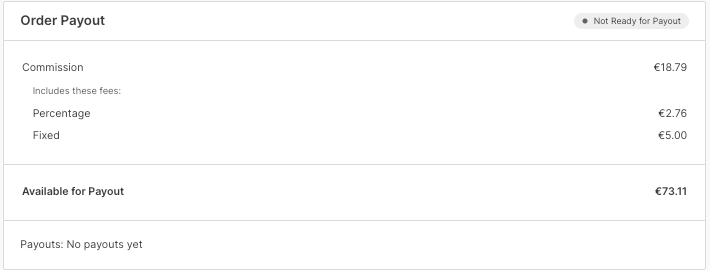
Show order fees in order payout section
The Order Payout section on a seller order now clearly shows the order fees included in the marketplace commission.
Product location kind
While managing product locations, you can now specify the location type through the "Location Kind" field, which supports the values of Business, Residential, or Auction.
Update order details layout
Improved the order of information on the seller order details page, including moving the Order Payout section to appear after the Payments section.
🪲 Fixed
- Fixed a UI issue with viewing the Orders list page on mobile devices.
- Fixed a UI issue with the product "Add Location" window where certain fields were misaligned or partially hidden.
- Fixed an issue where a newly provisioned list page could crash after being opened for the first time.
- Fixed many issues with the Dashboard mentions feature, including the following:
- Fixed an issue where the "Add a note" window closed if the "To" field was not specified or specified incorrectly.
- Fixed an issue with searching the "To" field, where irrelevant results could be returned.
- Fixed an issue where the "Messages" search bar did not return incoming mentions.
- Fixed an issue where there was no indication of successful sending of mentions. Now, a success notification appears after sending a mention.
- Fixed UI issues with the "Add a note" window flashing.