✨ New
Convert offer order to quote order
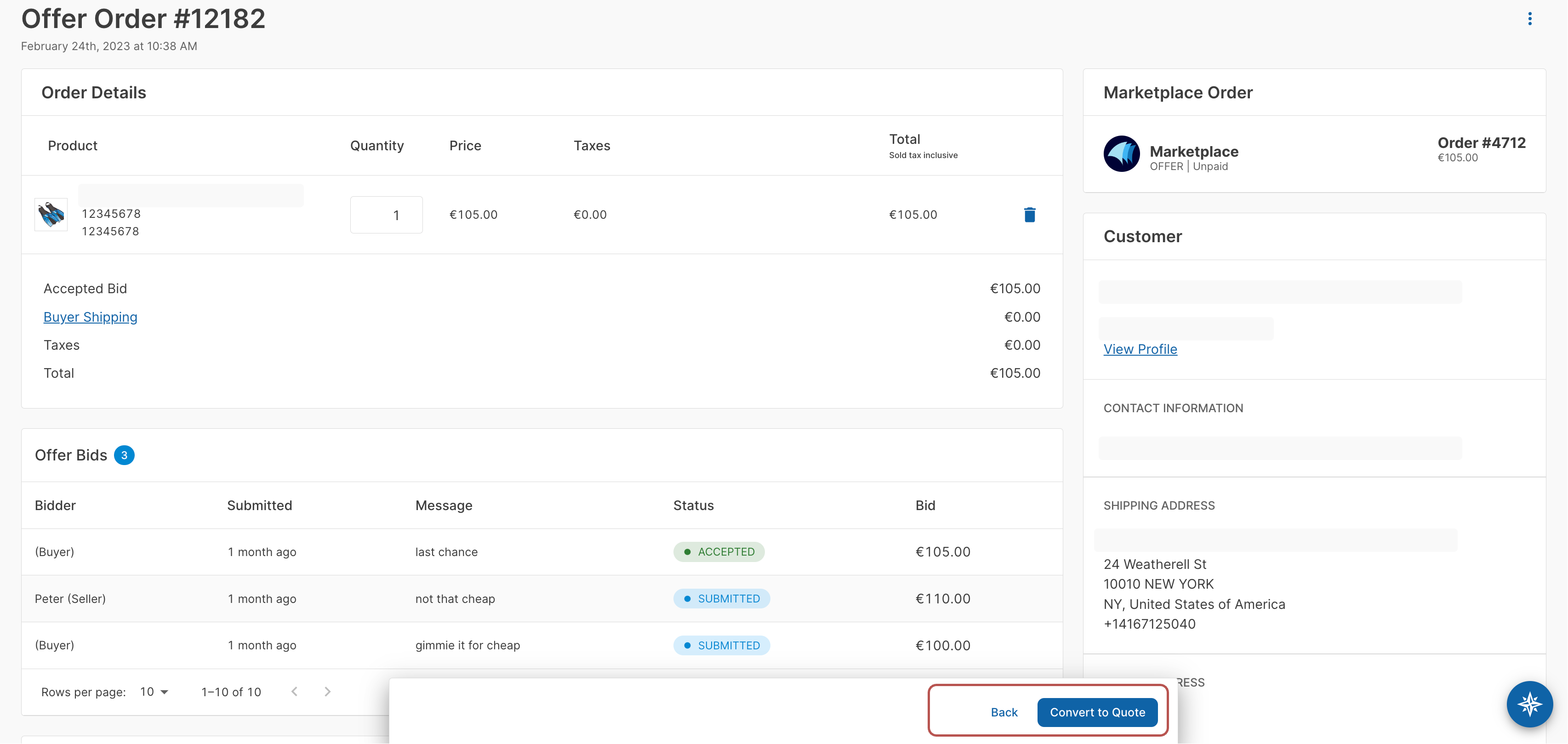
Added the ability to convert an offer order to a quote order. After the buyer and seller or marketplace operator have agreed on a price, the order can be converted into a quote order to incorporate shipping costs and provide the buyer with the total cost before they can proceed with payment.
When the quote order feature is enabled alongside offers, the primary action button on an offer order will display "Convert to Quote" instead of "Finalize."
Tax display on quote orders
Added the "Taxes" column to the Quote Order Details page to show the tax charged for each product.
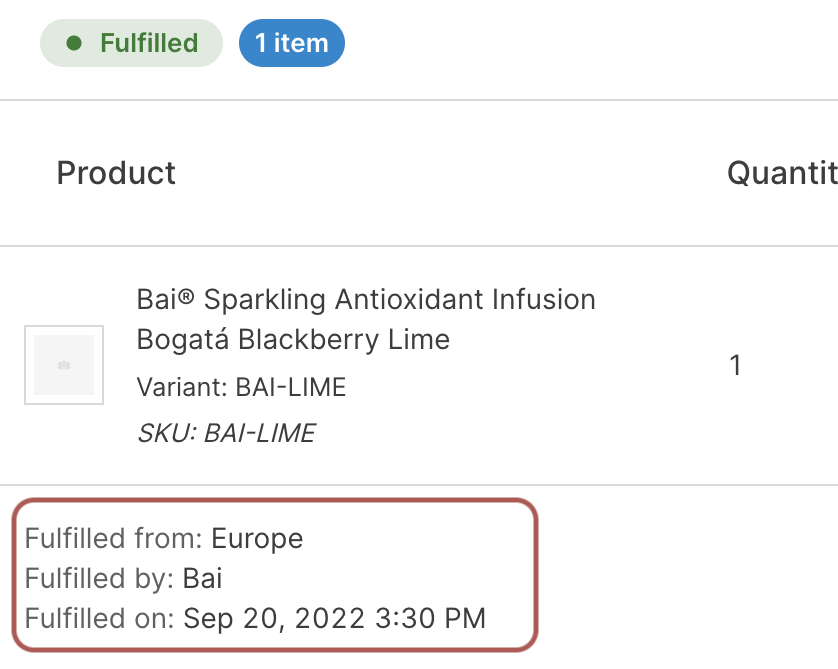
Fulfillment date and time display
Added the "Fulfilled on" field to the Order details page to display the date and time an order was fulfilled.
Customer VAT identification number
Added the ability to store a Value Added Tax (VAT) identification number on a customer using the "VAT Identification Number" field on the Customer Details page.
💎 Changed
Tax exempt code text entry
On the Customer Details page, if there is no active Avalara integration, the "Tax Exempt Code" field now accepts text input instead of displaying a dropdown field with options from Avalara.
Validation improvements for quotes, offers, and draft orders
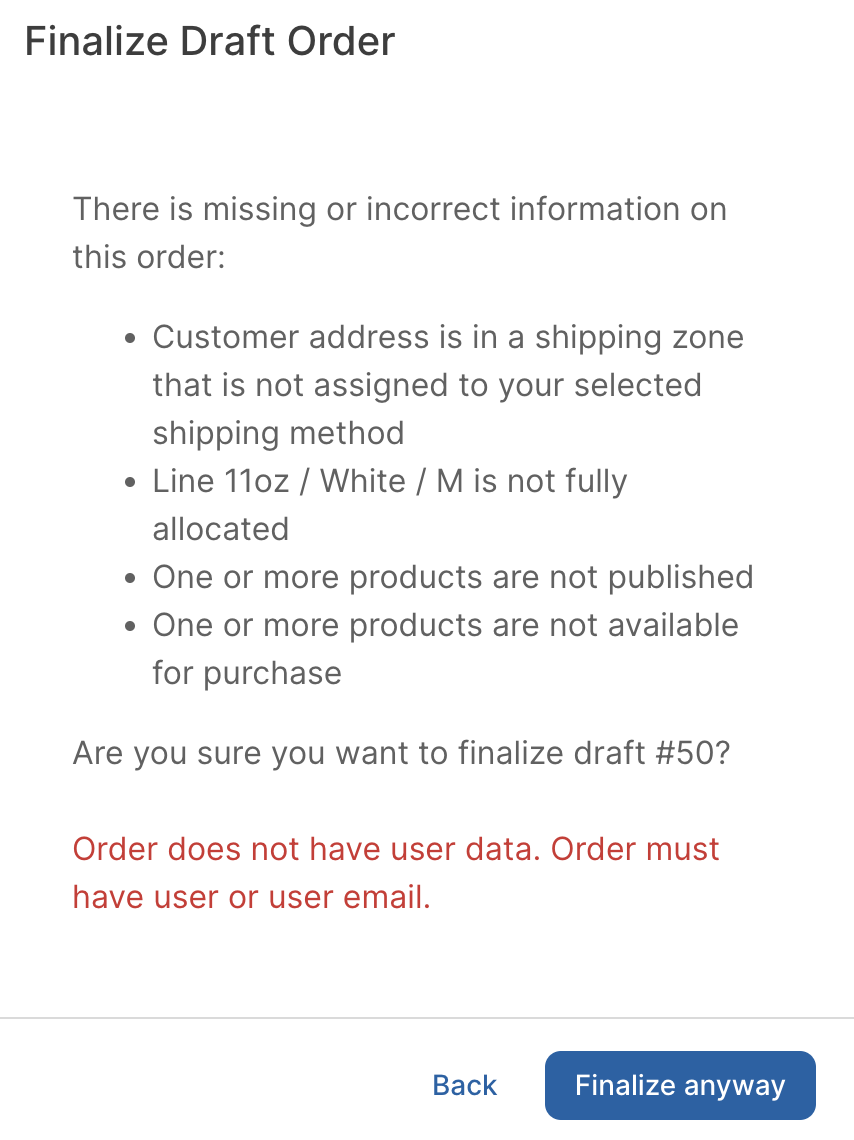
The Dashboard now surfaces better validation messages for offers, quotes, and draft orders. This includes the following changes:
- When you click "Submit," validations occur and any validation errors will appear in red.
- Errors from the API are now surfaced, providing more clear error messages.
- In case of validation errors, the final action button will display "Finalize Anyway" or "Convert Anyway" if you are converting to a quote.
This allows you to proceed with the action, even if the errors have not been resolved.
Usability improvements to the sales and orders analytics
The "Sales and orders" analytics chart on the home page has been updated to make the chart more user-friendly, including:
- Multiple formatting changes to improve the look-and-feel
- All dates are now formatted as UTC
- The full date range is now displayed across the X axis when selected
Improved tooltips for Shopify and WooCommerce order sync toggles
Updated the tooltip messages that appear for the "Order Sync" toggle on both the Shopify and WooCommerce App Settings page.
🪲 Fixed
- Fixed an issue with the customer password reset URL not using the correct URL.
- Fixed an issue where the password field did not reset to blank after a failed login.
- Fixed an issue where the "Company Name" address field was not being saved while creating warehouses in the Dashboard.
- Fixed an issue where the save button was hidden after saving a new metadata field.
- Fixed an issue where filtering the App Marketplace by category showed no results.
- Fixed an issue where clearing a previously applied filter on a list page did not automatically refresh the results.
- Fixed an issue where permission errors could incorrectly appear when editing a Customer Details page in the Dashboard when the credit limits feature was enabled.
- Fixed a backend issue with currency code mapping in the Dashboard.
- Fixed an issue with localized date values not being translated and displayed correctly.
- Fixed a UI styling issue with the footer action bar.
- Fixed a UI styling issue with the layout of recent orders and recent quotes.