⛵ Added
Filter marketplace insights by preset time dimensions
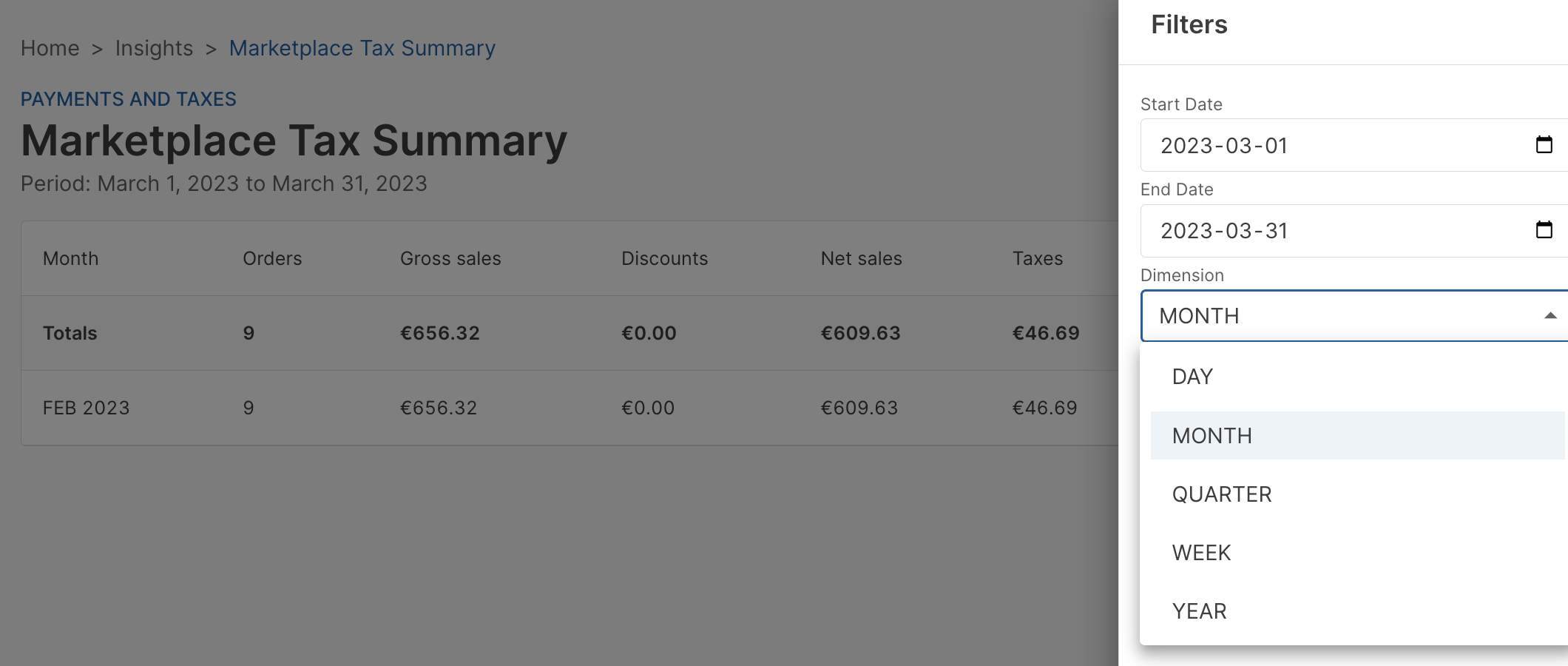
Added the ability apply a new Dimension time period filter to the following marketplace insight reports:
- Marketplace Sales Summary
- Marketplace Payments Summary
- Marketplace Tax Summary
You can use the Dimension filter to quickly filter the data by day, week, month, quarter, or year.
Sort and filter mail logs
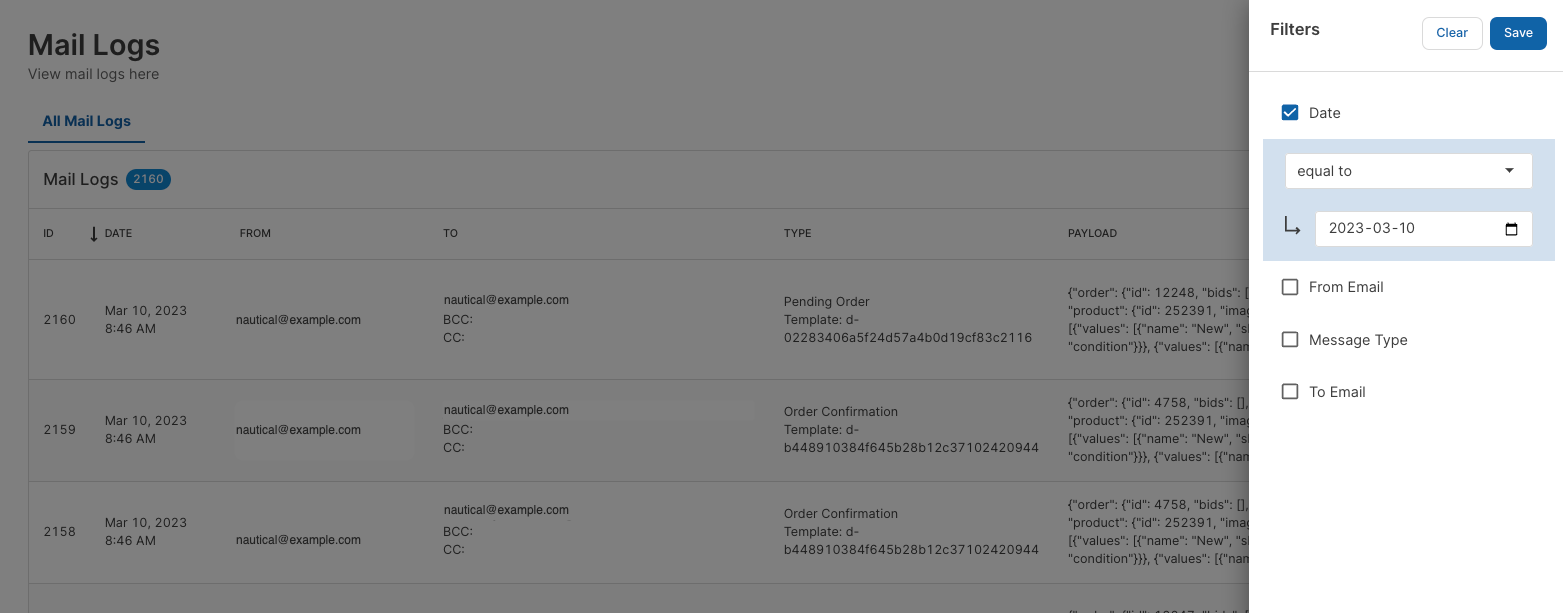
Added the ability to sort the Mail Logs list page by date and filter logs by date, message type, from email, and to email.
Open catalog and order links in new tab or window
Added the ability right-click and open linked items in a new tab or window for the Orders, Quotes, Draft Orders, Products, and Variants list pages.
Add metadata to quote orders
Added the ability to enter metadata to quote orders from the Dashboard. The Advanced accordion now appears on the Quote Order Details page for entering public and private metadata.
🌊 Changed
Mobile friendly order pages
Updated order list pages are to be more responsive for viewing on mobile devices.
Order line item product and variant links
Updated order line items on the Order Details page for marketplace and seller orders to link to the associated product or variant.
Display seller order payout status on MP Order page
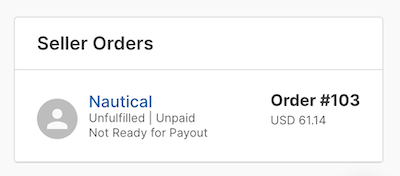
Updated the Seller Orders card on the Markerplace Order details page to show the payout status.
Order line item tax column
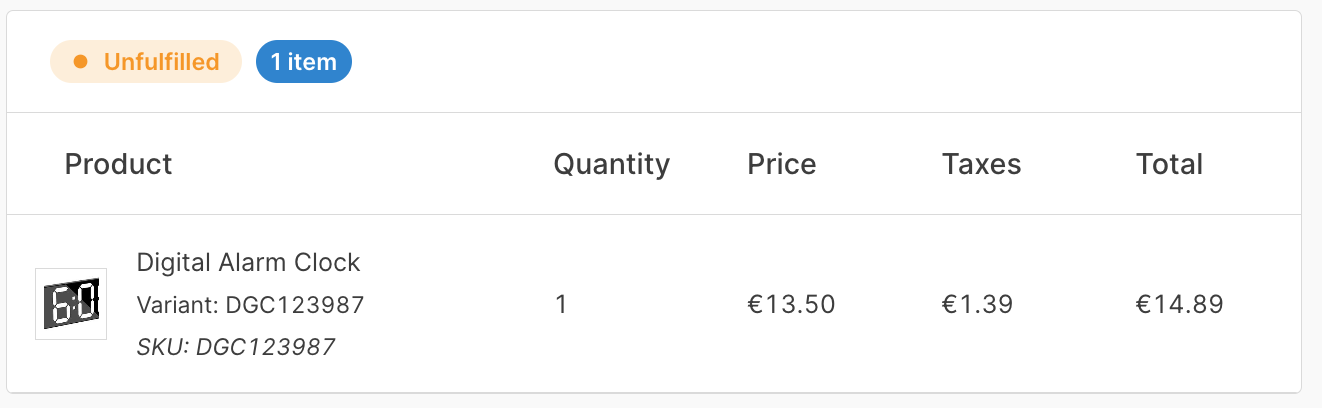
Updated order line items on the Order Details page for marketplace and seller orders to show the Taxes column with the amount of tax charged for each item.
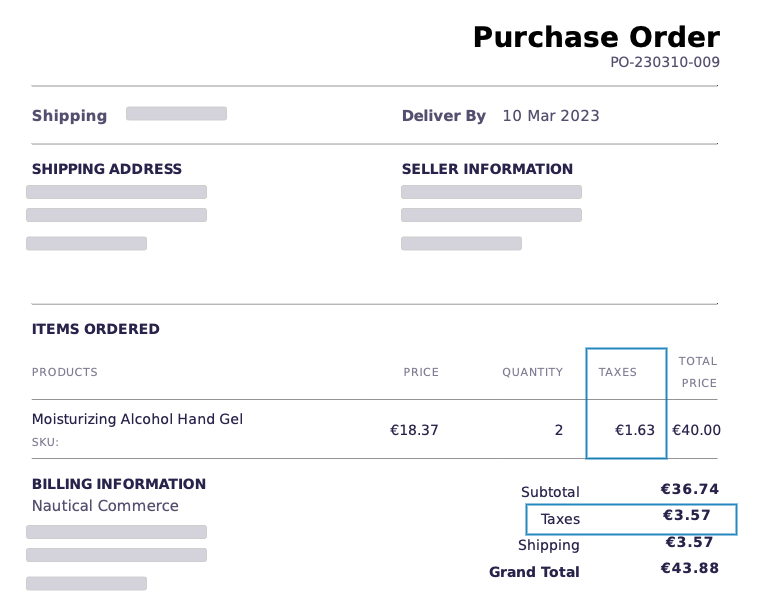
Display tax on system-generated purchase order documents
Updated system-generated Purchase Order documents to display of tax-per-product and total tax.
Assign Avalara tax exempt codes
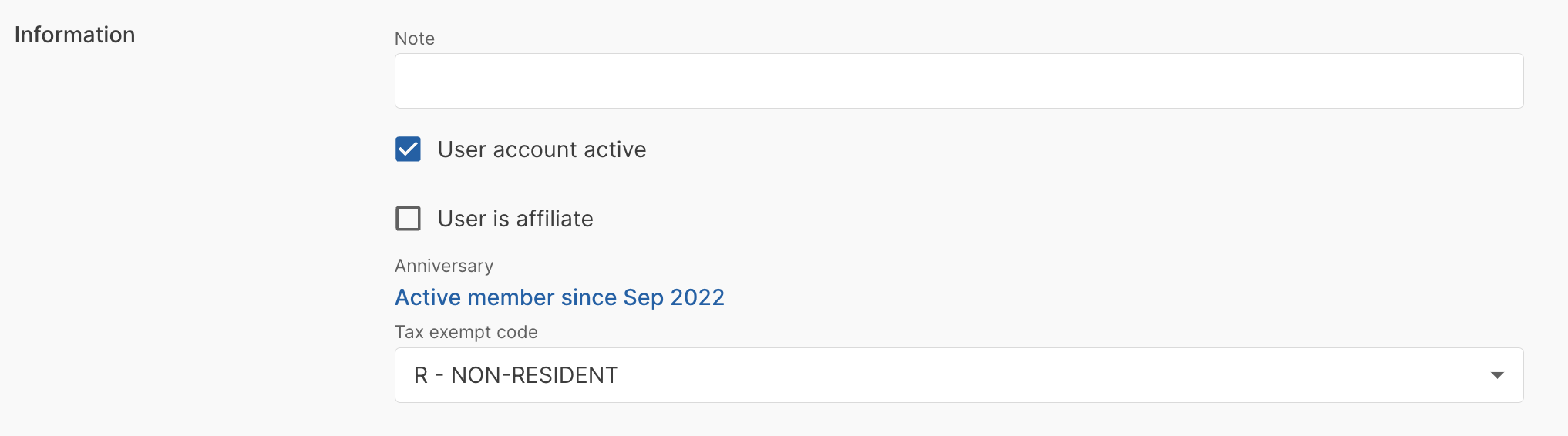
Added the ability to assign Avalara tax exempt codes to users, through a new Tax Exempt Code field on the customer object.
In the dashboard, you can assign tax codes using the Tax exempt code field from the Information section on the customer details page.
🪲 Fixed
- Fixed an issue where password reset emails were directing customers to the Dashboard domain instead of the customer password reset URL configured in Site Settings, causing them to land on a 404 error page.
- Fixed an issue where, on the dashboard login page, if a user entered an incorrect password, the previously entered email would be cleared between login attempts.
- Fixed an issue where billing and shipping addresses could not be edited on draft, quote, and offer orders.
- Fixed an issue where the Published column value for products on a category page was showing the product availability status instead of the published status.
- Fixed a UI issue where some labels were styled differently.
- Fixed a UI issue where the product type Is this product shippable? field was partially hidden by the Weight field.
- Fixed a UI issue with wrapping overflow text in single-select list fields.
- Fixed an issue where the navigation link to the Webhook Event Logs page was being displayed to users without the Manage marketplace permission. Now, this item will be fully hidden to users not assigned the Manage marketplace permission.
- Fixed an issue where you could not modify the number of rows per page displayed on the Seller > Catalog tab.
- Fixed an issue where validation errors were appearing on quote orders, even when they did not apply.
- Fixed date format and display issues on vendor agreement visibility settings.
- Fixed an issue where the Top & Worst Performing Report for Products and Categories were stuck in the loading state in the Dashboard.